AI should make studying more active, not more passive
AI tools can explain a difficult idea in a different way, generate practice questions, or help you organise a study week. They are most useful when they support the work you still need to do yourself: remembering, solving, explaining, and checking. Simply copying an answer may finish a task, but it rarely proves that you understand the topic.
Begin with a specific learning goal. Instead of asking “teach me science,” try “explain the difference between mass and weight for a class 10 student, then give me two everyday examples.” A focused request gives you a response you can assess. If the explanation is confusing, ask for a simpler version or request a worked example with every step shown.
A study workflow you can repeat
1. Make a small plan before opening AI
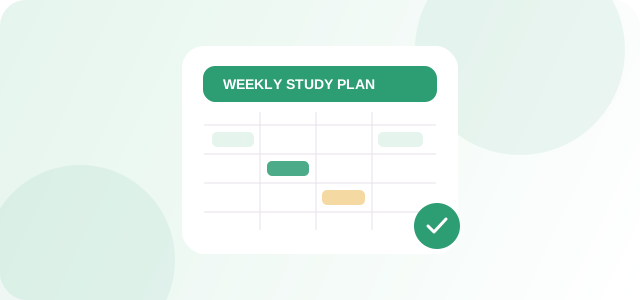
Write down the topic, how much time you have, and what you need to be able to do at the end. A 30-minute session might include five minutes of recall, fifteen minutes of problem-solving, five minutes to correct mistakes, and five minutes to summarise the key points. A study timetable maker can help you spread subjects across the week rather than giving every evening to whichever chapter feels easiest.
2. Ask for explanations, then close the answer
Request a short explanation, a diagram description, or a step-by-step example. Read it carefully, then put the answer away and explain the concept in your own words. This exposes gaps that rereading alone can hide. Ask for a hint before asking for a complete solution, especially in mathematics and programming.
3. Use practice questions to test recall
Practice questions and flashcards can make revision more active. Start with a few short questions, answer without looking at your notes, and mark which parts you could not recall. Review those parts first. When a generated question includes a fact or a calculation, verify it against your textbook or teacher's notes before treating it as correct.
4. Keep an error log
After solving a problem, note the type of mistake: concept misunderstanding, skipped step, calculation error, or misread question. Ask an AI assistant to explain the difference between your approach and a correct method, but confirm the correction. Returning to the same mistake a day or two later is often more useful than collecting dozens of new summaries.
A quick checklist for responsible use
- Use AI to get unstuck, not to replace your own assignment.
- Check equations, dates, definitions, and factual claims against trusted class material.
- Do not upload private school records or personal information.
- Ask for hints and reasoning, then solve a similar problem by yourself.
- Follow your school or teacher's rules on AI-assisted work.
Example prompts to adapt
For an explanation: “Explain [topic] in simple language. Give one everyday example, then ask me three questions to check my understanding. Do not reveal the answers until I try.”
For revision: “Create five practice questions on [chapter] at beginner level. Leave space for my answers and provide an answer key separately. Mark any uncertainty instead of inventing a textbook fact.”
For planning: “I have [number] days and [number] minutes each day to revise [subjects]. Make a realistic plan with short breaks and include time to revisit mistakes.”
Measure progress by what you can do
A good session ends with evidence: you solved a problem without help, explained an idea clearly, or remembered a definition later. AI can help you structure the work, but your independent performance is the real signal of learning. Use tools to support that process and keep the final thinking yours.
CeveoAI provides general educational information. Check important details against your own requirements, school guidance, and the documentation for the tools you use.
Put the idea into practice
Try a related CeveoAI utility, then check the result and adapt it to your own needs.
Explore related tools ↗